
BunnyMark
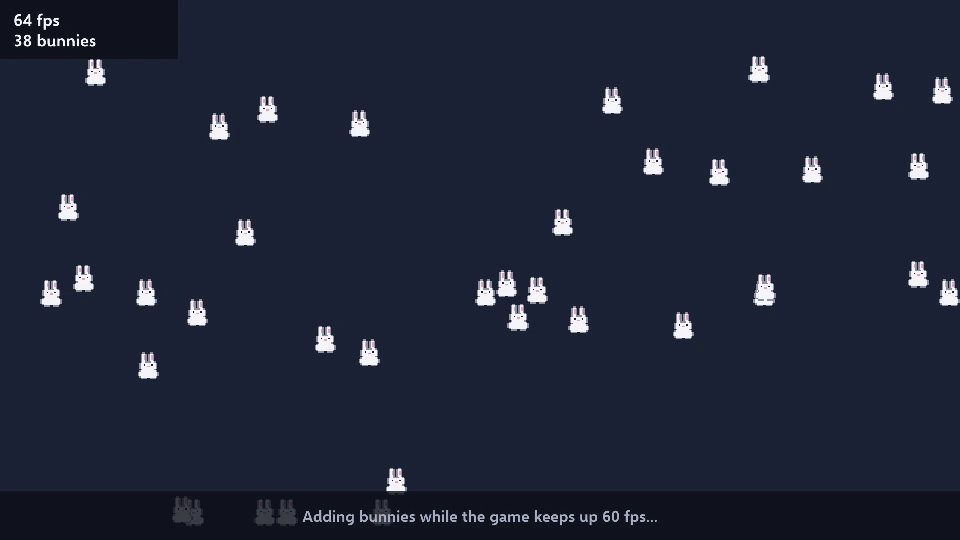
Bunnies pour in and bounce about, more and more, until the game finds how many your computer holds. Each one is an ordinary entity, a sprite and a script. The count is shown and saved, with the best so far.
Controls
Section titled “Controls”- Space: run it again
Good to know
Section titled “Good to know”- Sound starts when you click or press a key. A browser keeps a page silent until you have done one of them, so the game plays quietly for a moment first and says so at the bottom.
- Saves stay in this browser, for this game only: your best score or progress is still here when you come back.
- Controllers work too: plug one in and press a button. On a phone or tablet a touch acts as the mouse.
- The first game you open downloads .NET and Griff’s player (about 10.4 MB, kept by your browser and shared by every game here); this game’s own files are 0.1 MB.
- The licenses of what the game carries (.NET and the other software and fonts it is built with) are in its THIRD-PARTY-NOTICES.txt.
Make it yours
Section titled “Make it yours”This is the BunnyMark template as it comes: in Griff’s editor, pick it in New Project and change it into your game. Everything in it is an ordinary scene, component and script you can open, and Build → Build for Web makes a page like this one from your own game (see Exporting). New to Griff? Start with Getting started.