
Your first platformer
A hero that runs and jumps, ground to stand on, a coin to grab and a slime to dodge, in a few minutes and with no code.
Make a project: File → New Project (Ctrl+Shift+N), name it My Platformer, pick the Empty template and Create.
A hero
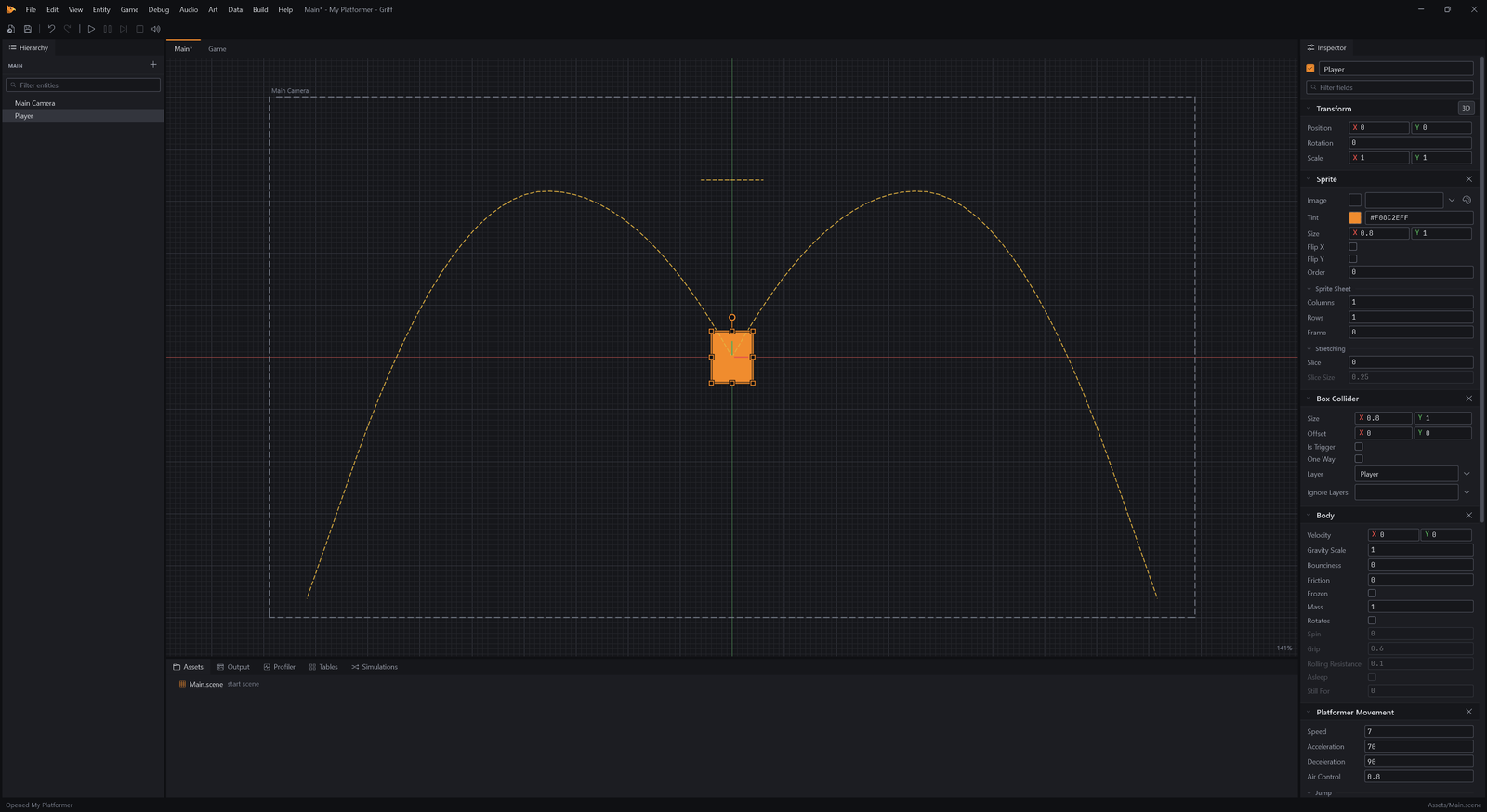
Section titled “A hero”Start a new project from the Empty template (File, New Project). It opens on a scene with just a camera. The Entity menu makes ready-made things, sorted by kind, and the first one a platformer needs is its hero, under Characters.
- Choose Entity → Characters → Platformer Player.
The hero is an orange box that already runs, jumps and falls: a Body gives it gravity and a collision shape, and Platformer Movement reads the arrow keys, WASD and Space. Its Inspector tunes how it feels, which you will try in a moment.
Ground to stand on
Section titled “Ground to stand on”- Choose Entity → Basics → Sprite.
- Rename it Ground (F2).
- In the Inspector, set Transform → Position to
0, -3, 0. - In the Inspector, set Sprite → Size to
16, 1. - In the Inspector, set Sprite → Tint to
#484B55. - Click Add Component and add Box Collider.
- In the Inspector, set Box Collider → Size to
16, 1.
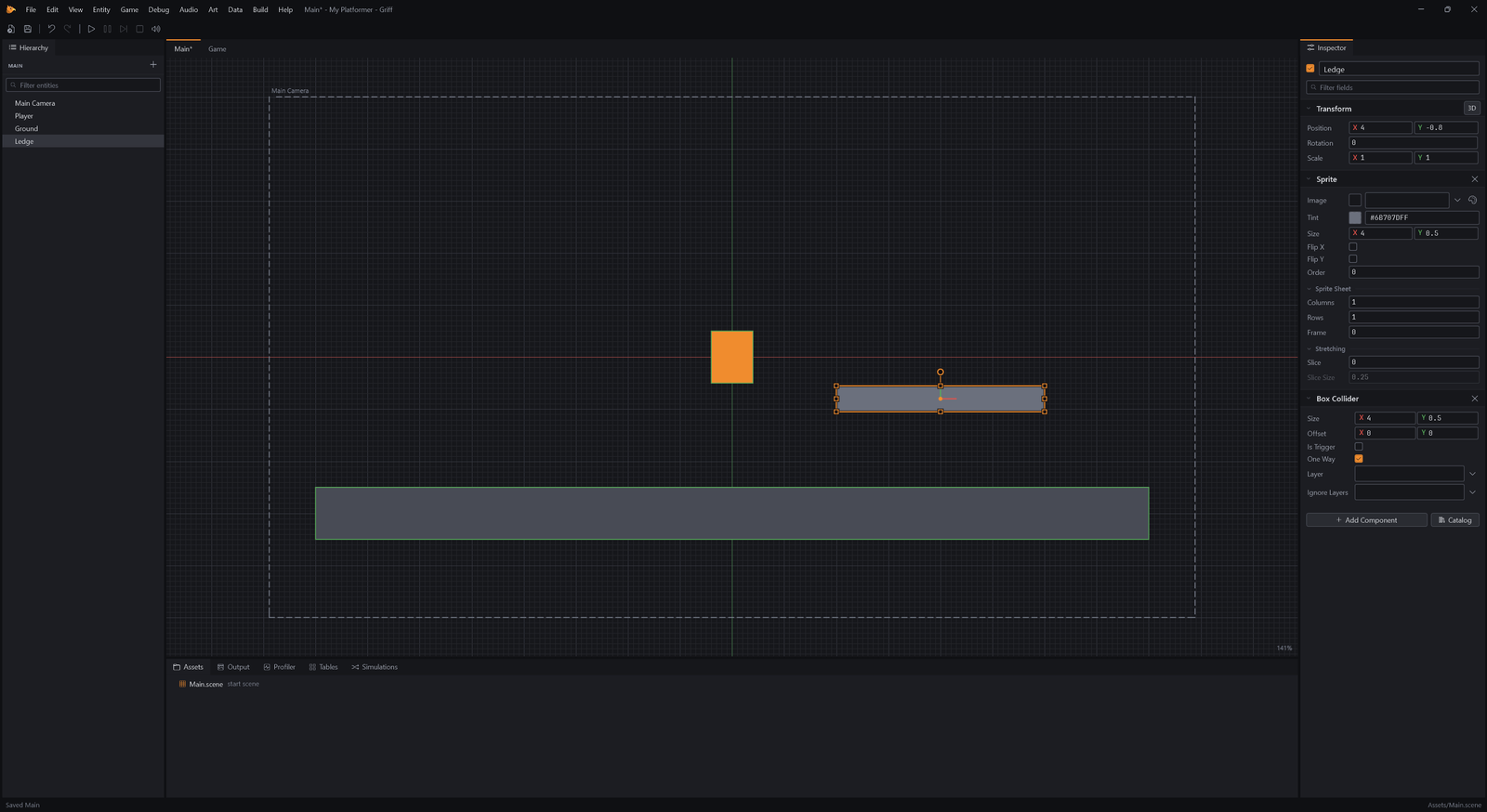
A level is made of boxes. A Sprite draws one, and a Box Collider makes it solid. Without a Body it never moves, so it is the floor.
- Choose Entity → Basics → Sprite.
- Rename it Ledge (F2).
- In the Inspector, set Transform → Position to
4, -0.8, 0. - In the Inspector, set Sprite → Size to
4, 0.5. - In the Inspector, set Sprite → Tint to
#6B707D. - Click Add Component and add Box Collider.
- In the Inspector, set Box Collider → Size to
4, 0.5. - In the Inspector, set Box Collider → One Way to
true.
A second box makes a ledge. One Way lets the hero jump up through it and land on top.
Try it
Section titled “Try it”- Press F5 to play.
- In the game, hold Right for 0.6 seconds.
- In the game, press Space.
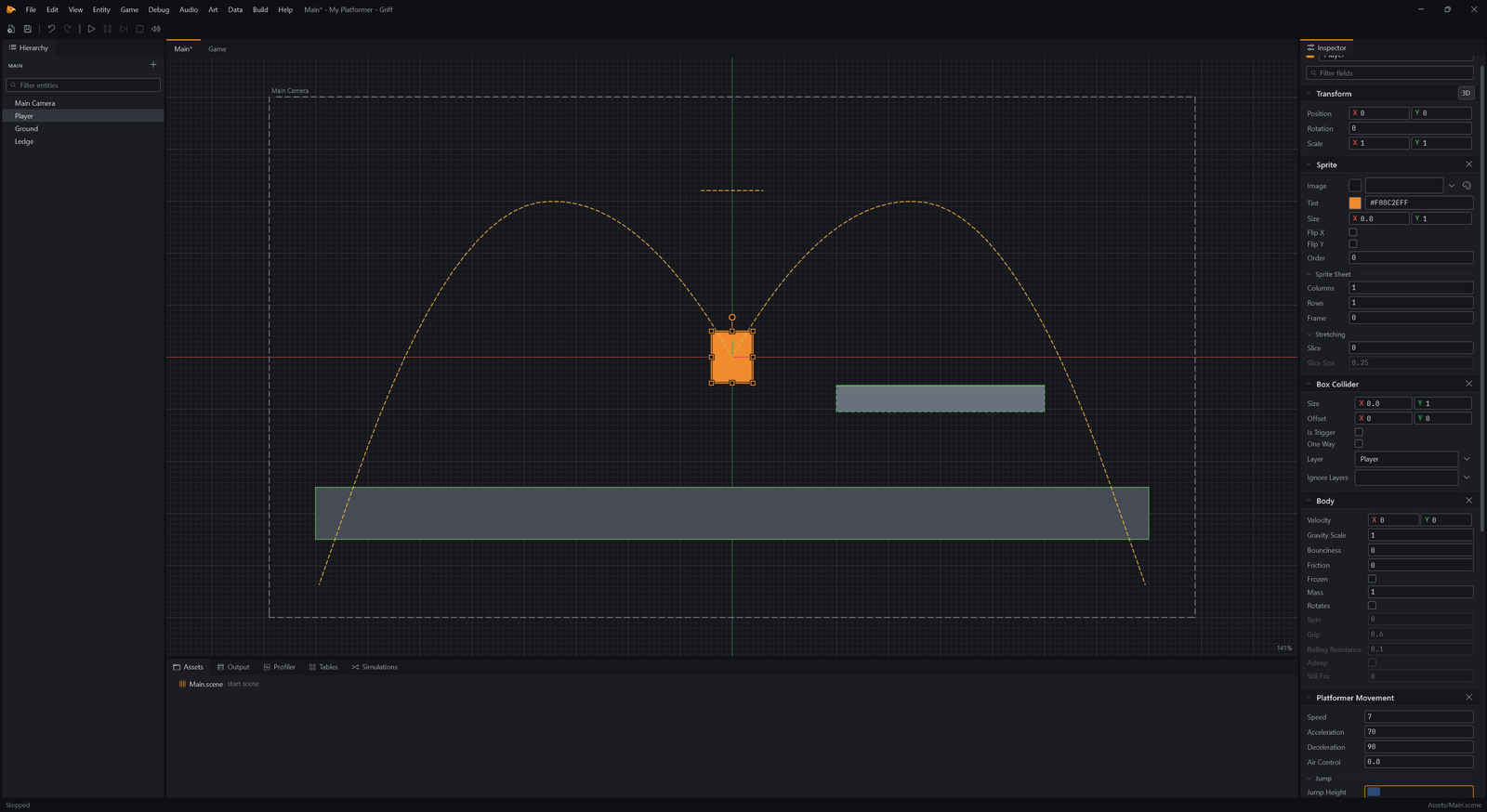
Press F5 to play. Run with the arrow keys or A and D, and jump with Space. The game plays in the Game tab, and Shift+F5 stops it and puts everything back.
- Press Shift+F5 to stop.
Make it feel right
Section titled “Make it feel right”- Select Player in the Hierarchy.
- In the Inspector, set Platformer Movement → Jump Height to
3.2.
How the hero moves is a handful of numbers in the Inspector. Jump Height is how high a jump goes, in world units. Try 3.2 and play again: change a number, press F5, feel it.
A coin and a score
Section titled “A coin and a score”- Choose Entity → Basics → Sprite.
- Rename it Coin (F2).
- In the Inspector, set Transform → Position to
4, -1.8, 0. - In the Inspector, set Sprite → Size to
0.5, 0.5. - In the Inspector, set Sprite → Tint to
#E3B341. - Click Add Component and add Circle Collider.
- In the Inspector, set Circle Collider → Is Trigger to
true. - Click Add Component and add Pickup.
- In the Inspector, set Pickup → Layers to
Player.
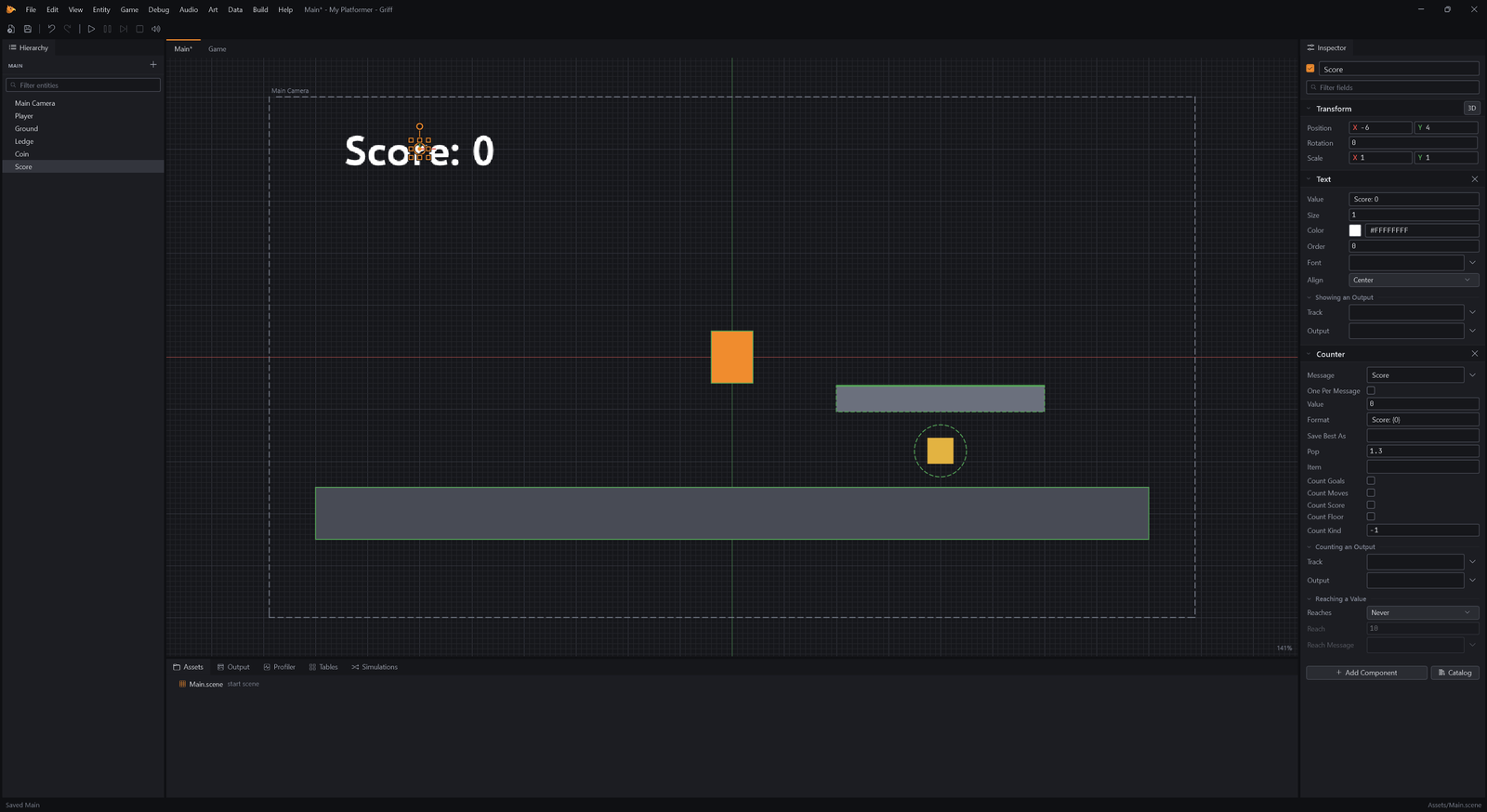
A coin is a sprite with a trigger collider, which detects touches without blocking, and a Pickup. Pickup collects it when something on the Player layer touches it, and sends a Score message.
- Choose Entity → Basics → Text.
- Rename it Score (F2).
- In the Inspector, set Transform → Position to
-6, 4, 0. - In the Inspector, set Text → Value to
Score: 0. - Click Add Component and add Counter.
A Text shows words in the world, and a Counter adds up Score messages into it. That is a whole scoring system without a line of code.
A slime to dodge
Section titled “A slime to dodge”- Select Player in the Hierarchy.
- Click Add Component and add Health.
Enemies hurt, so the hero needs Health. Add Component finds what you type.
- Choose Entity → Basics → Sprite.
- Rename it Slime (F2).
- In the Inspector, set Transform → Position to
-4, -2.1, 0. - In the Inspector, set Sprite → Size to
0.8, 0.8. - In the Inspector, set Sprite → Tint to
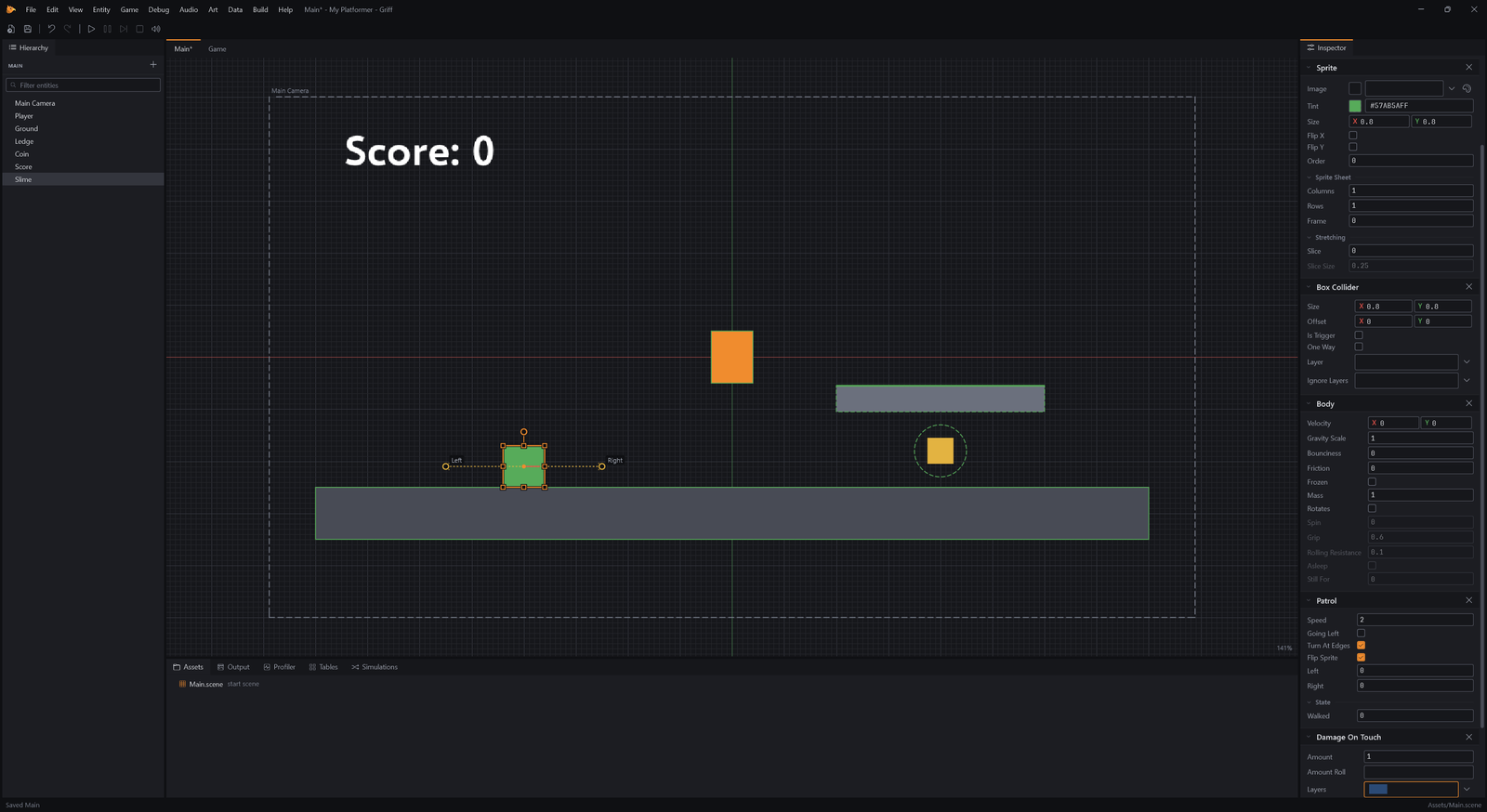
#57AB5A. - Click Add Component and add Patrol.
- In the Inspector, set Box Collider → Size to
0.8, 0.8. - Click Add Component and add Damage On Touch.
- In the Inspector, set Damage On Touch → Layers to
Player.
Patrol walks back and forth and brings the collider and body it needs; the collider is made the slime’s size. Damage On Touch hurts anything on the Player layer it meets.
Play the finished level
Section titled “Play the finished level”- Press F5 to play.
- In the game, hold Right for 1 second.
- In the game, press Space.
Run right along the ground and the coin is yours: the score counts up.

- Press Shift+F5 to stop.
That is a platformer. Save the scene with Ctrl+S, then build it into a single exe with Game, Build Game. Next steps: draw your own sprites with the Sprite Painter, paint a tilemap level, and add sounds from the Sound Maker.