
Rhythm
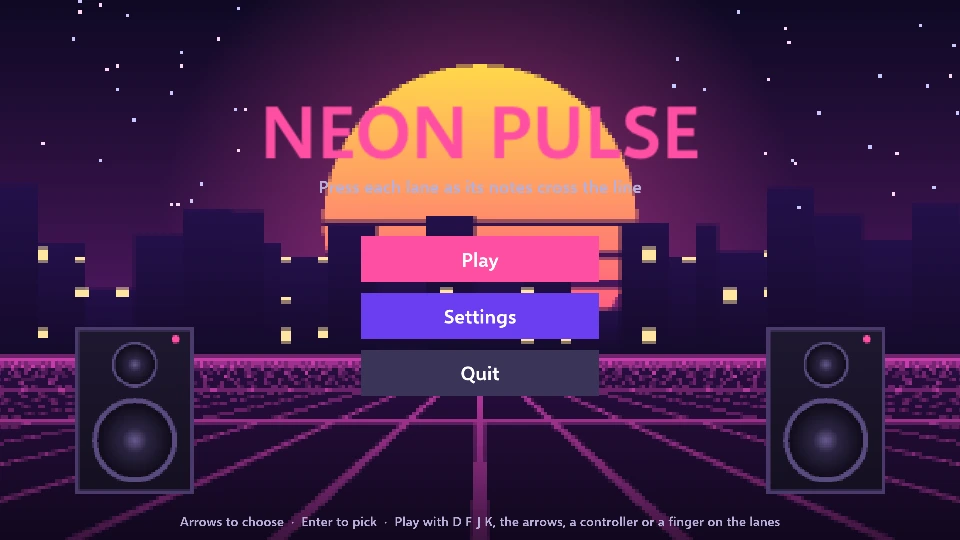
Pick a song (each plays as you pick it out) and a difficulty, then hit the notes on the beat: Perfect, Great, Good or Miss, holds held to their end, a combo, a score and a grade, with your best kept for every song and difficulty. Settings set the note speed, the volumes and your audio offset, which you can tap along to calibrate.
Controls
Section titled “Controls”- D F J K, or the arrow keys: press the four lanes
- Up, Down, Left and Right: pick a song and a difficulty
- Enter or Space: play
- A controller: the D-pad or X A Y B on the lanes
- Mouse or fingers: press the lanes, several at once for a chord
- Esc: pause
Good to know
Section titled “Good to know”- Sound starts when you click or press a key. A browser keeps a page silent until you have done one of them, so the game plays quietly for a moment first and says so at the bottom.
- Saves stay in this browser, for this game only: your best score or progress is still here when you come back.
- Controllers work too: plug one in and press a button. On a phone or tablet a touch acts as the mouse.
- The first game you open downloads .NET and Griff’s player (about 10.4 MB, kept by your browser and shared by every game here); this game’s own files are 19.9 MB.
- The licenses of what the game carries (.NET and the other software and fonts it is built with) are in its THIRD-PARTY-NOTICES.txt.
Make it yours
Section titled “Make it yours”This is the Rhythm template as it comes: in Griff’s editor, pick it in New Project and change it into your game. Everything in it is an ordinary scene, component and script you can open, and Build → Build for Web makes a page like this one from your own game (see Exporting). New to Griff? Start with Getting started.